
Evidara Nexus · For Project Directors, Commercial Managers and CISOs
Construction control. Commercial certainty. Evidence at every stage.
Control project costs, workforce records, procurement, site evidence and payment documentation through one connected operating system.
Know what was committed. Know what was delivered. Know what remains outstanding. Keep the supporting evidence attached to the work.
How a payment milestone is released
- 1
Scan
A LiDAR scan is registered against the model.
- 2
Check
Elements are checked against the model, with an accuracy gate.
- 3
Gate
The milestone is released, or held with the reason named.
- 4
Approve
A named person approves the certificate.
- 5
Record
An append-only record is written and a signed event goes to your ERP.
What an enterprise gets
Valuations tied to measured progress
Value of work complete is computed from accepted measurements against BOQ lines bound to the model.
Payments held until evidence is verified
A milestone is held while its zone is stopped, its elements are not installed or its deliveries are unverified.
Labour claims reconciled to muster
Muster records sit beside labour claims, and disagreement is flagged.
Approved valuations the database will not alter
Valuation certificates and their history are append-only.
Field work that survives lost connectivity
Changes queue on the device in order and sync on reconnect.
The executive problem
Where fragmented project information costs money
Each of these is a loss that stays invisible until a valuation, a payment or a dispute exposes it.
Valuations
Disconnected systemsProgress is argued from site reports and paper claims, and each disputed claim delays cash flow across the package.
Evidara NexusProgress is measured from scans and accepted measurements, and held against the model.
Labour
Disconnected systemsMuster sits on paper and labour claims are checked by hand, which leaves them open to fraud.
Evidara NexusMuster and labour claims sit in one record, and disagreement is flagged.
Change and dispute
Disconnected systemsWithout a time-stamped record of what was measured and agreed, a dispute is decided on recollection.
Evidara NexusA time-stamped, hashed record shows what was measured and agreed.
Commitment
Disconnected systemsOrders, budgets and cost codes live in separate files, so exposure is found after it is committed.
Evidara NexusProcurement is tracked against the approved budget, so remaining budget is computed, not estimated.
Evidara Nexus is one integrated platform connecting project planning, commercial control, digital engineering, site execution, workforce, evidence and financial outcomes.
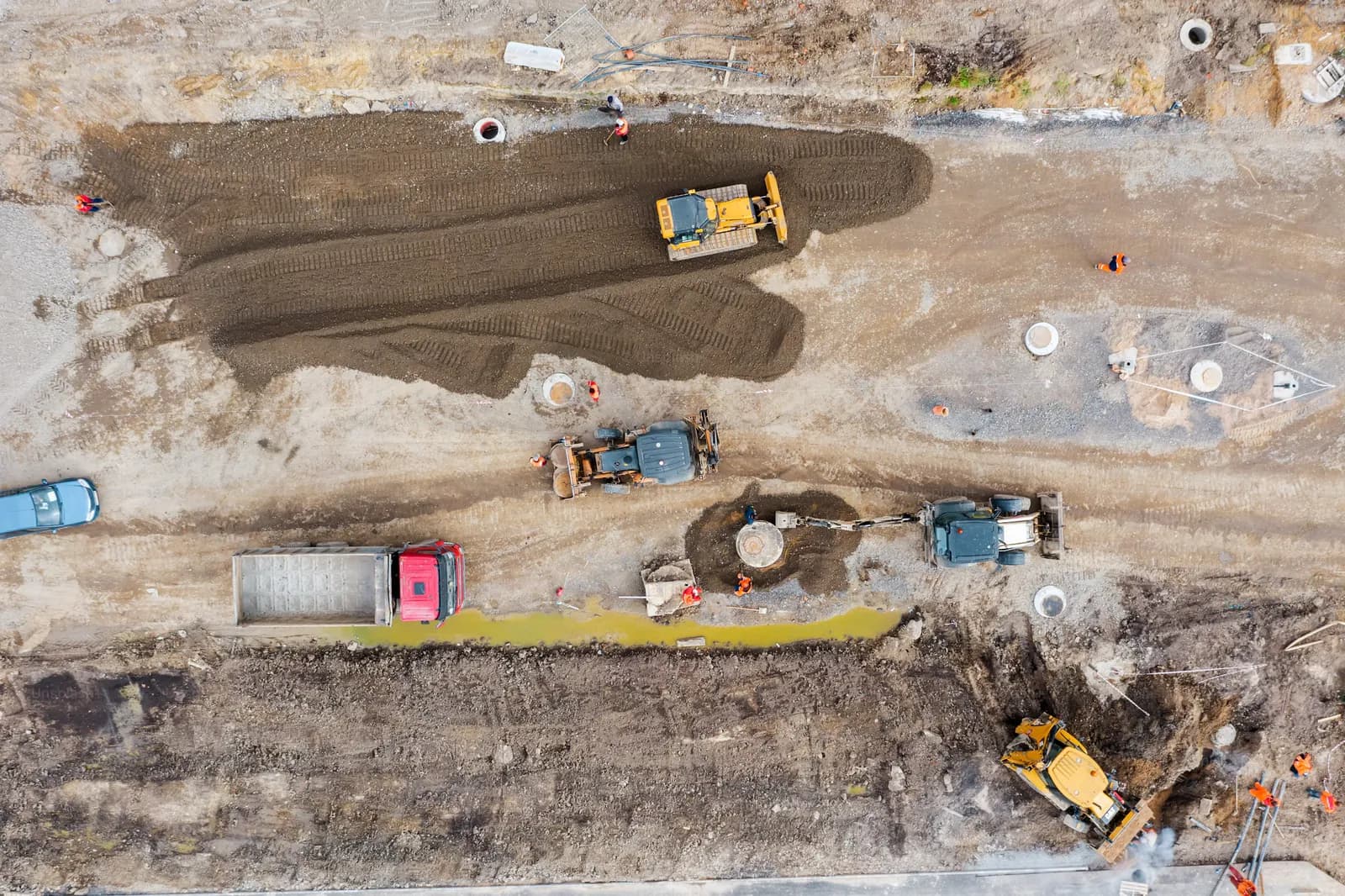
One connected platform
One record from concept to handover.
Eight stages. Twenty-eight modules.
01
Command
One view across every project and site, with the figures that need a decision first.
- Overview
- Portfolio Command
- Worksites
02
Estimate & Budget
Price the work from measured quantities, then hold the budget to cost codes.
- Estimates & BOQ
- Takeoff & Measurement
- Budgets & Cost Codes
03
Contract & Plan
Contracts, programme and drawings in one record, with jurisdiction rules in place from day one.
- Contracts
- Schedules
- Drawings & Plans
- Jurisdiction Packs
04
Procure & Supply
Orders, stock and plant tracked against the budget. AI reads delivery notes and only proposes; a named person approves.
- Procurement & Orders
- Materials & Stock
- Equipment & Plant
- AI Document Queue
05
Workforce
Who is on site, who is claimed, and where the two disagree.
- Workforce & Labour
- Muster Workers
- Muster Scanner
- Labor Discrepancy
06
Build & Verify
Site progress checked against the model, the aerial record and the paperwork.
- Progress & Site Ops
- Aerial Progress
- BIM Model Viewer
- Technical RFIs
- Smart Forms
07
Safety & Quality
Snags, inspections and safety findings captured in the field and rolled into reports.
- Defects & Snags
- Safety & Quality
- Intelligent Reports
08
Pay & Handover
Payment instructions raised against verified progress. Approved valuations are append-only. A client view carries the sign-off.
- Financial Dispatch
- Client View
Digital engineering
From model to measured quantity
An open-format model, scan data and the bill of quantities meet in one workflow, so a quantity is measured once and used everywhere it matters.
IFC ingestion
Models read on Evidara-operated processing
IFC models are ingested and shown in the BIM viewer, and their elements are what progress and checks are bound to.
Quantity takeoff and BOQ
One bill of quantities, bound to the model
Work is priced from measured quantities. Accepted progress measurements bind to BOQ lines and to elements in the model.
Deterministic Algorithmic Intelligence
Automated Spatial Variance Detection from LiDAR
Slope, volume and deviation checks run as fixed geometric rules with no trained model, so every figure can be explained and audited. Material classes are a first reading, not a surveyed quantity. Slope describes the scanned surface and is not a geotechnical assessment.
Sovereign-first processing
Third-party processing is an opt-in
It is off by default and needs an explicit, recorded project decision.
Zero-Touch valuations
Valuation without re-keying evidence
Zero-touch means nobody re-keys site evidence into a valuation. A named person still approves every certificate.
01 · Inputs
- LiDAR scans and the BIM model
- Accepted progress measurements against BOQ lines
- Muster and delivery verification
- Zone stop status
02 · Processing
- Where automatic checking is enabled for the deployment, a scan that becomes ready triggers element checks with no request
- Value of work complete is computed per element in exact integer arithmetic
- Retainage applies at the jurisdiction pack rate. With no rate configured, no net payable is produced
03 · Outputs
- A milestone released, or held with the reason named
- A valuation certificate for a person to approve
- An append-only record of the approved valuation
- A signed event delivered to your ERP endpoint
Fail-Closed Payment Gate
A milestone that cannot be evidenced is held, not paid. That is the Fail-Closed Financial Ledger.
Commercial controls
Know the exposure before it becomes a claim
Estimates and BOQ
Price the work from measured quantities and keep one bill of quantities for the project.
Budgets and cost codes
Hold the budget to cost codes and read cost variance against earned value.
Procurement
Orders are tracked against the approved budget. Remaining budget is computed, and an over-commitment shows as negative.
Contracts and country rules
Contracts sit in the project record. Rule-driven VAT, WHT and cross-border treatment are configured per confirmed country. Multi-currency in USD, EUR, ZAR, NGN, KES, GHS, EGP and XOF/XAF.
Workforce and site execution
Who is on site, who is claimed, and where the two disagree
Muster
Workers are registered on a roster and checked in by scanner.
Labour discrepancy
Muster is reconciled against labour claims, and a disagreement is flagged for review.
Site evidence
Defects, technical RFIs, safety findings and progress are captured against the work they concern.
Deep-Field Resilience
Field teams capture defects, muster check-ins, incidents and material scans with no connectivity. Changes queue on the device in order and sync on reconnect. A change the server refuses is parked, never silently dropped.

Five controls
Controls your audit team can test.
Trust · Cryptographically Sealed Audit Trails
Every project decision backed by traceable evidence
Valuation records are append-only. Golden Thread exports are hashed so any change is detectable. Where Google Cloud KMS signing is enabled for the deployment, exports are also signed. An unsigned export is marked unsigned.
Data sovereignty · Sovereign-First Hybrid BIM Engine
Control where your project models are processed
Models are processed on Evidara-operated infrastructure by default. Third-party processing is an explicit, recorded opt-in.
Compliance
Project records structured for audit and review
Exports carry worker identifiers, not names. Controls are designed to support POPIA and NDPR obligations. Evidara claims no certification. Sign-in lockout, rate limiting and authentication audit logging are built in.
Financial control · Fail-Closed Financial Ledger
Connect measured work, project costs and payment documentation
A payment milestone is held while its zone is stopped, its elements are not installed or its deliveries are unverified. Approved valuations are delivered to your ERP endpoint as signed events.
Field resilience · Deep-Field Resilience
Keep field records moving when connectivity is unreliable
Changes queue on the device in order and sync on reconnect. A change the server refuses is parked, never silently dropped.
Signing is not encryption
A signature shows who issued an export and that it has not changed since. It does not hide the contents; access to data is governed by roles. The signing key stays inside Google Cloud KMS, and its location is set per deployment. Append-only is enforced in the database, not by an external ledger.
AI reads documents and images, and only proposes values for a person to approve. Spatial checks and valuation gates are deterministic rules.
Enterprise value
What the executive team gets
- Visibility
- Portfolio and site status in one view, with the figures that need a decision first.
- Accountability
- Valuation events are append-only, and exports carry a hash so a changed record is detectable.
- Less reconciliation
- Measured progress, muster, deliveries and budget sit in one record, so valuation inputs are read from one place instead of rebuilt by hand.
- Commercial exposure
- Committed spend is tracked against the approved budget, so exposure is read, not estimated.
Product evidence
The workspace, shown as it runs
These are screens from a new workspace with no project data in it.
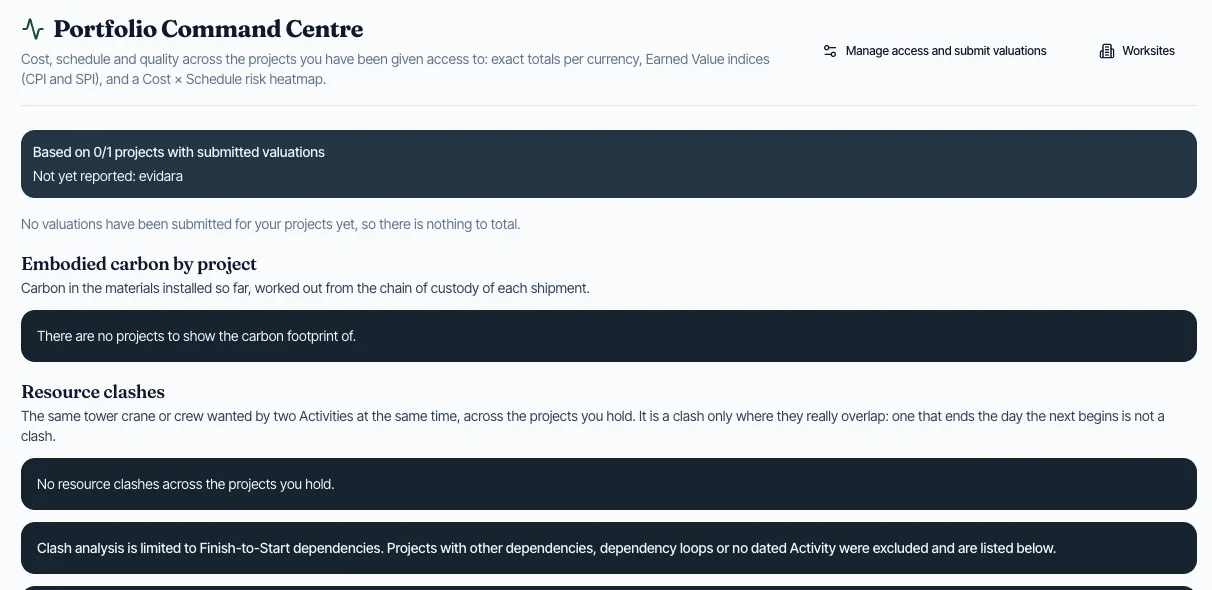
Portfolio Command Centre
Cost, schedule and quality across the projects you can see: exact totals per currency, earned value indices and a cost-by-schedule risk heatmap.
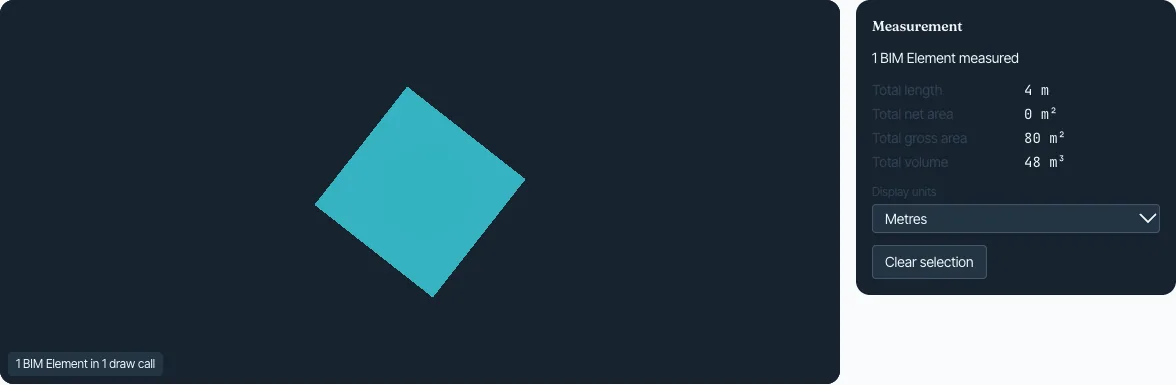
BIM Model Viewer
Load an IFC model, measure it, section it and place spatial anchors. The file is read in the browser and is not uploaded until it is saved to a project.
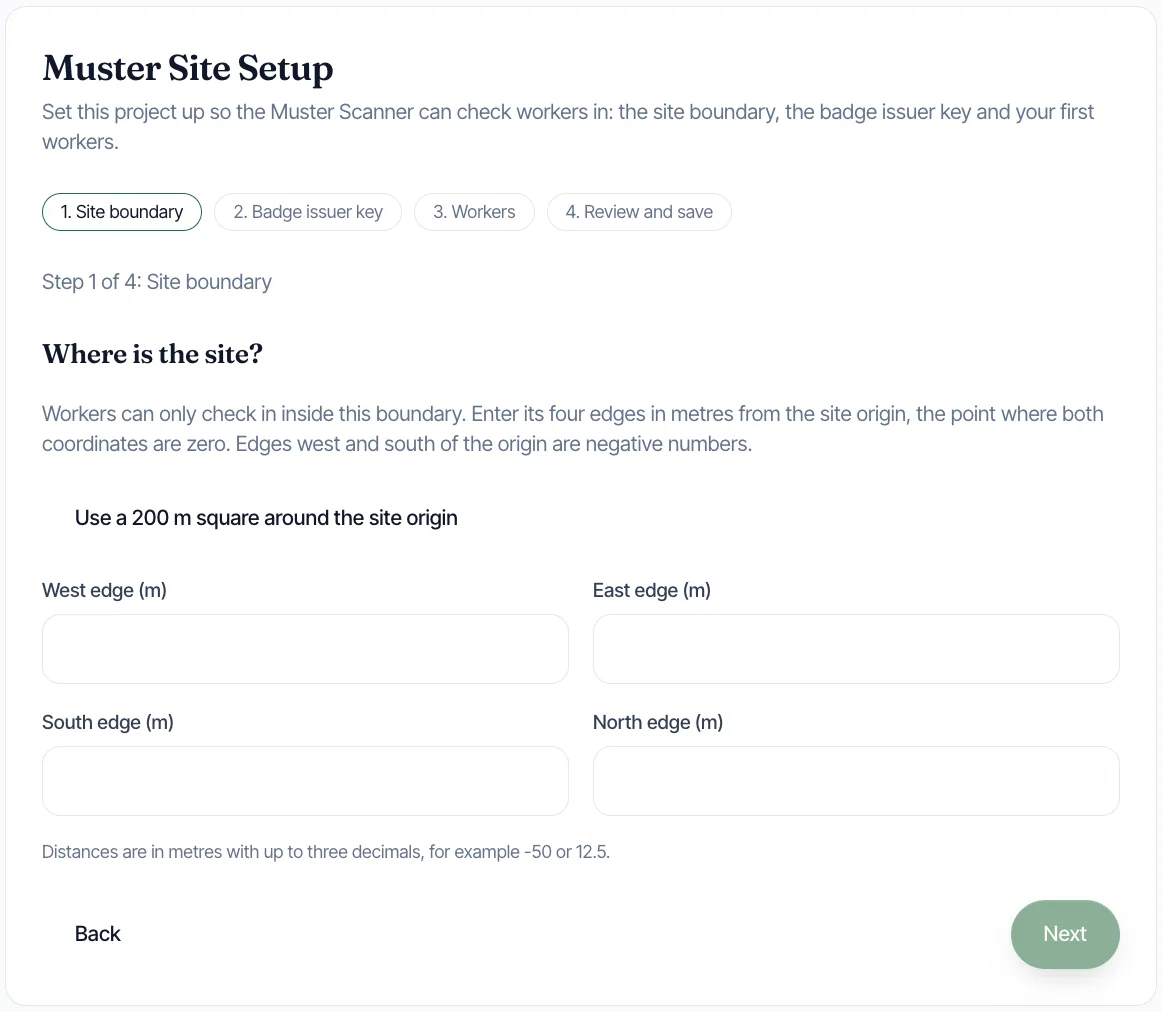
Muster site setup
Set the site boundary, the badge issuer key and the first workers, so the scanner can check people in.

A standing control on the payment screen
Evidara is a ledger of record. It never holds, pools or sends money; it only prepares signed instructions.
Deployment and engagement
How an enterprise engagement runs
- 01
Technical demonstration
A walkthrough for your project, security and legal teams, built around your questions.
- 02
60-day pilot
One work package, with every claim on this page tested against your own records across two valuation cycles. A review at day 30 decides whether to continue.
- 03
Deployment requirements
Identity and access, your ERP endpoint, the confirmed country rule set and, if you want signed exports, a Cloud KMS signing key.
- 04
Rollout
Extend to further projects once the pilot results are agreed.
Your projects are too complex for disconnected intelligence.
Book a demonstration and put every claim on this page to your own project, security and legal teams.